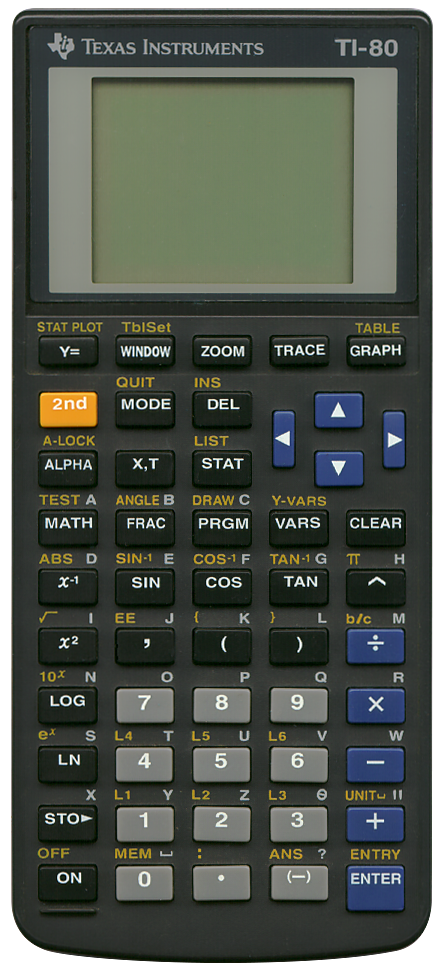
Terminated: 2000
There are elaborate pictorial instructions as to how to replace the batteries. There is a latch that makes it impossible to change both of them simultaneously, a method to safeguard the calculator’s memory when replacing batteries.
Contrary to what its type designation might suggest, this is not the first model of the TI-80 series. In fact the series started with the TI-81 and several others came before it as well, such as the TI-82 and the TI-85.
Its direct successors are the TI-73 and the TI-73 Explorer.
The TI-80 can display graphs of four simultaneous expressions. It has an 48 x 64 dot-matrix display to display graphs. These four expressions can also be used to calculate tables with a specified start value and step value.
Due to the fact that it uses a 5 x 3 pixels character set, can display eight lines of text. Some characters need a bit of fantasy to recognise. Take for instance the "E" symbol for exponential numbers, it’s only three pixels high! Sometimes this character size makes expressions and results difficult to read.
It has calculation history, one can see a list of previous calculations for as long as they fit into the screen. It is not possible to scroll through them or select one to edit it, but it is possible to edit the last entry by keying 2nd ENTRY and using the forward and backward cursor keys.
It has a total of 8 kB of RAM leaving 7034 bytes of non volatile user memory. Memory is automatically segmented by usage, for formulae, programs, variables and others. If necessary used memory can be deleted, separately per segment from the MEM menu.
Regarding programming, it uses a BASIC like flow control combined with keystroke like programming. Commands are separated by colons. It can use subroutines and labels to name routines. It can use the DISP function to show (intermediate) results which will be outputted on separate lines. Programs can query for input as well using the INPUT command.
As usual, Datamath has some useful information, see their page on the TI-80 here (link validated 2025-12-31).
There is one other article I want to share, it is a really neat hacking trick invented by a certain Zeroko. The TI-80 does not have any I/O ports, so how could one transfer data to a computer? The 5 x 3 pixels character set is not suitable for OCR. Zeroko wrote a special program running on the TI-80 in such a way that this program influences the calculators radio interferences. This interference is then received using an AM radio and recorded by a compter. Another program, also by Zeroko then converts the audo back into data. This way it is possible to dump this calculator’s ROM to create an emulator. See this page (link validated 2025-12-31) on cemetech.net.