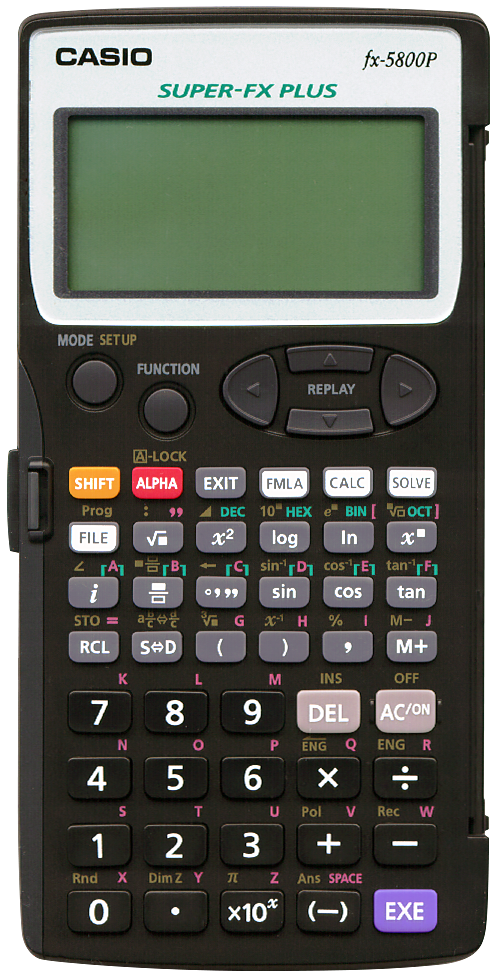
Terminated: unknown
 It is a capable programmable calculator, with 128 built-in formulae, 40 mathematical constants, almost
32 kB of user memory (28500 bytes), up to 2398 variables,
matrix calculations, a special recursion section, statistics, differentials and integration,
matrix operations, BASE-n operations and more.
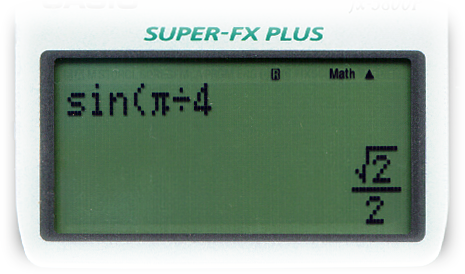
And of course it will produce accurate results when possible, as shown here.
It is a capable programmable calculator, with 128 built-in formulae, 40 mathematical constants, almost
32 kB of user memory (28500 bytes), up to 2398 variables,
matrix calculations, a special recursion section, statistics, differentials and integration,
matrix operations, BASE-n operations and more.
And of course it will produce accurate results when possible, as shown here.
It runs on a single AAA battery, accessible from the back and protected by a screw. When changing the battery, memory is not lost because the calculator stores a backup of its content to flash memory. After changing the battery one needs to press the "P" button at the back with a bend paper clip or something to restore everything. It’s battery is supposed to last a single year of daily use but should be replaced yearly as a precaution.
The calculator has a protective case that is connected using two hinges and can be turned to the back of the calculator.
When performing calculations, the closing bracket can be omitted, and multiplications are, when obvious, implied, so "20 × A" can be entered as "20A".
When entering a number, it is, when possible, automatically converted to a fraction. This is a capability that I really like (see for example my own implementation of this for the CASIO fx-602p, the HP 41C). So, for example, when entering ".123456" and pressing EXE the result is the fraction "1929/15625". The S⇔D key can be used to switch between decimal and fractional results.
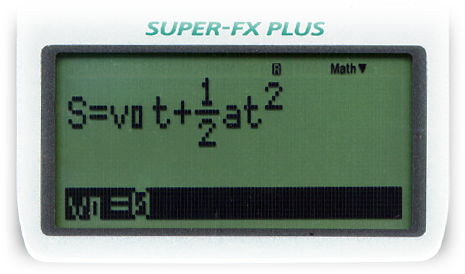 When using its library of built-in formulae, selecting a formula will
have the calculator query for its variables, as seen in this example
formula for "Advance Distance".
When using its library of built-in formulae, selecting a formula will
have the calculator query for its variables, as seen in this example
formula for "Advance Distance".
In a similar fashion, repeated calculations are also possible. For instance when one wants to quickly calculate the area of multiple circles, simply enter "πR2" and press CALC. The calculator will now query for the value of "R". Press EXE to see the resulting value, press CALC again to start over for the next circle.
Its programming mode is BASIC like, with line numbers and BASIC like flow control. There are no line numbers but sections can be marked with labels.
Communication between two CASIO fx-5800P calculators to exchange programs is possible using the SB-62, a special data communication cable.